Varifocal vs Fixed Lens — How to Pick Focal Length for Distance
Varifocal vs Fixed Lens — How to Pick Focal Length for Distance
Choosing between a varifocal vs fixed lens is one of the most critical decisions when designing a physical security system. Select the wrong lens, and your system might capture a beautiful, wide shot of a parking lot while completely failing to identify the person breaking into a vehicle. The right camera focal length determines your horizontal field of view, your pixel density, and ultimately, whether your footage is usable for investigations.
TL;DR
-
If you don’t know the exact scene requirements yet, or need to capture a precise choke point at a specific distance, choose a varifocal lens camera.
-
If you know exactly what you need to see and at what distance, a fixed lens camera is simpler, often cheaper, and less prone to tampering or mechanical failure.
-
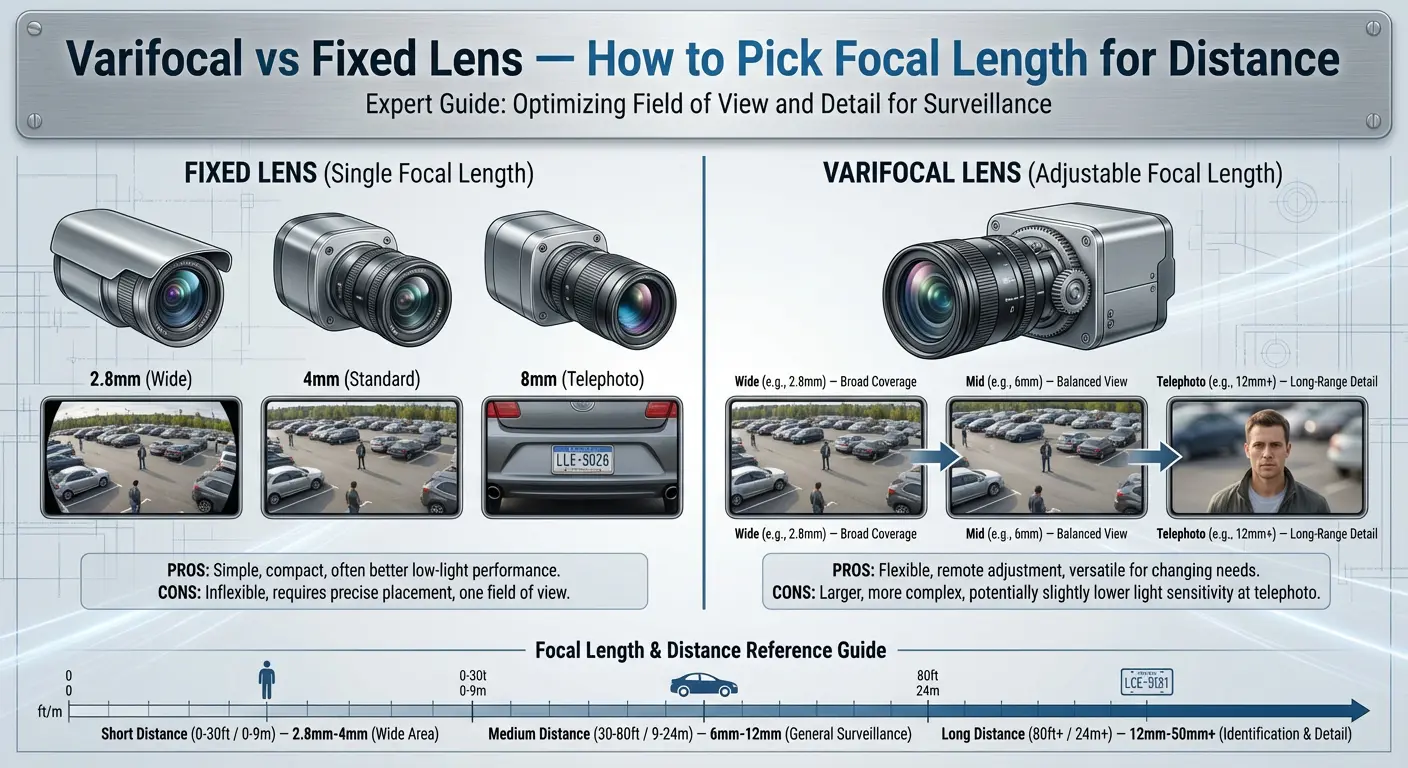
Lower focal lengths (like 2.8mm) provide a wide-angle overview but sacrifice distance detail. Higher focal lengths (like 8mm or 12mm) zoom in for detail but lose peripheral awareness.
-
Sensor size matters. A 4mm lens on a 1/2.8" sensor gives a tighter, more zoomed-in view than a 4mm lens on a larger 1/1.8" sensor.
-
"Digital zoom" is not optical zoom. If you need detail at 50 feet (15 meters), you need a higher focal length, not just more megapixels.
Who this is for
- DIY buyers and small business owners trying to order the right cameras the first time without overspending.
- Security integrators standardizing field deployment guidelines for their technicians.
- IT and facilities teams tasked with upgrading legacy systems to modern IP cameras with strict evidence requirements.
Key terms
-
Focal Length (mm): The distance between the center of the lens and the image sensor. This dictates how "zoomed in" the image appears natively.
-
Field of View (FOV): What the camera can actually see. Horizontal field of view is the most critical metric for layout planning, usually measured in degrees.
-
Sensor Size: The physical dimensions of the digital sensor inside the camera (e.g., 1/2.8", 1/1.8"). Larger sensors gather more light and alter the FOV for a given focal length.
-
Optical Zoom: Physically adjusting the glass elements in a lens to magnify an image before it hits the sensor, preserving full resolution.
-
Digital Zoom: Enlarging the image in your software by cropping into the pixels. This instantly degrades image clarity.
-
Pixel Density (PPF / PPM): Pixels Per Foot or Pixels Per Meter. The number of pixels spanning one unit of physical distance at the target. Higher pixel density means more detail.
-
DORI: An industry standard (Detect, Observe, Recognize, Identify) that maps specific PPF/PPM targets to practical surveillance tasks.
Varifocal vs fixed lens: the real differences
When comparing a varifocal vs fixed lens, the distinction goes beyond just zoom capabilities. It impacts setup time, camera footprint, and long-term consistency.
A fixed lens camera has a permanent focal length (e.g., exactly 4mm). The viewing angle cannot be changed mechanically. A varifocal lens camera contains an adjustable lens assembly that allows you to change the focal length (e.g., from 2.7mm to 13.5mm) to zoom in optically. Most modern IP varifocals are motorized, allowing remote adjustment during setup.
+1
| Feature | Fixed Lens Camera | Varifocal Lens Camera |
|---|---|---|
| Flexibility | None. What you buy is exactly what you see. | High. Can adjust the field of view remotely after mounting. |
| Cost | Generally lower. | Higher due to motorized lens assemblies and complex glass. |
| Setup Time | Fast. Mount, aim, and you are done. | Slightly slower. Requires setting optical zoom and focus limits. |
| Consistency | Permanent. Cannot be accidentally altered. | Susceptible to end-users tampering with zoom controls. |
| Maintenance | Set-and-forget. No moving parts. | Can suffer from "focus drift" over years of temperature swings. |
| Best-fit scenarios | Indoor rooms, wide parking lots, standard entry doors, typical hallways. | Cash registers, license plates, long driveways, unknown site variables. |
| Typical Mistakes | Installing 2.8mm everywhere, resulting in zero facial detail at 30 feet. | Zooming out to the widest setting permanently, wasting the varifocal premium. |
How focal length actually changes what you see
Focal length acts like a funnel for light.
-
A short focal length (e.g., 2.8mm) acts like a wide, shallow funnel, pulling in a massive horizontal field of view (often 100°+). This is excellent for an overview of a retail floor but makes distant objects look tiny.
-
A long focal length (e.g., 12mm) acts like a narrow, deep funnel. It restricts the viewing angle to around 30° but pulls in distant detail, making it ideal for looking down a perimeter fence line.
Important Note: Sensor Size and Equivalent Views
Never assume a focal length means the same thing across all cameras. A camera's horizontal field of view is dictated by the lens and the sensor size.
- If you mount a 4mm lens over a standard 1/2.8" sensor, you might get an 85° FOV.
- If you mount that same 4mm lens over a larger 1/1.8" sensor, you capture more of the lens projection, resulting in roughly a 95° FOV.
Always check the manufacturer's spec sheet for the exact horizontal field of view rather than relying on the millimeter measurement alone.
A practical method to pick focal length for distance (step-by-step)
Stop guessing. Use this five-step framework to handle lens selection for security cameras properly and guarantee your camera viewing distance matches your evidence requirements.
Step 1: Define the task
What are you actually trying to accomplish with this camera?
- Overview (Detect/Observe): Are there people in the lot, and what are they doing?
- Face Capture (Recognize/Identify): I need a clear enough face shot of a stranger to give to law enforcement.
- LPR: I need to read characters on a moving license plate.
Step 2: Measure distance and scene width
Measure the physical distance from the camera mounting point to the target area (e.g., 40 feet). Next, estimate how wide the scene needs to be at that distance. If you are watching a 12-foot wide gate at 40 feet, your required scene width is only 12 feet.
Step 3: Choose a pixel density / DORI target
Pixel density determines image clarity. Here are practical targets for a standard 16:9 camera:
- Identify (Unknown Faces/Plates): 80 PPF / 250 PPM
- Recognize (Known person): 40 PPF / 125 PPM
- Observe (Action/Clothing): 20 PPF / 62 PPM
- Detect (Presence): 8 PPF / 25 PPM
Step 4: Translate to lens choice
Use basic math: Camera Horizontal Resolution ÷ Target PPF = Maximum Scene Width.
Example: A 4K camera has a horizontal resolution of ~3840 pixels. You want to identify faces (80 PPF).
3840 ÷ 80 = 48 feet.
To get 80 PPF, your camera lens must be zoomed in enough that the horizontal scene it captures is no wider than 48 feet at your target distance. Check the manufacturer's spec sheets or FOV charts. If a 6mm fixed lens provides exactly a 45-foot wide scene at your measured distance, it is the correct choice. If a 2.8mm provides a 90-foot wide scene, it is far too wide. When in doubt, select a varifocal range (e.g., 2.7-13.5mm) that covers the required angle.
Step 5: Validate
Before drilling holes, validate your math. Use an online manufacturer lens calculator, physically test a varifocal camera on a temporary tripod, or look through an optical aiming tool to confirm the horizontal field of view matches your needs.
Quick reference: common focal lengths and what they’re good for
Note: The approximate horizontal field of view (HFOV) values below assume standard 16:9 aspect ratios. Always check specific model datasheets.
When choosing a 2.8mm vs 4mm vs 6mm lens, consider these typical applications:
| Focal Length | Approx. HFOV (1/2.8" Sensor) | Approx. HFOV (1/1.8" Sensor) | Best For / Typical Distance Band | Common Pitfalls |
|---|---|---|---|---|
| 2.8mm | ~105° | ~112° | Small rooms, front doors / 0–15 ft (0–4.5m) | Pixels stretch too thin; faces blur past 15 feet. |
| 3.6mm / 4mm | ~85° | ~95° | General purpose, retail aisles / 15–30 ft (4.5–9m) | Blind spots immediately beneath the camera. |
| 6mm | ~52° | ~60° | Parking lot lanes, choke points / 30–50 ft (9–15m) | Installed in small rooms, missing wall-to-wall coverage. |
| 8mm | ~40° | ~45° | Long corridors, driveways / 50–75 ft (15–23m) | Often requires specific mounting heights to avoid blind spots. |
| 12mm | ~26° | ~30° | Fence lines, LPR basics / 75–100 ft (23–30m) | Too much magnification amplifies camera shake/vibration. |
Real-world selection examples
a) Front door / lobby entry face capture
- Goal: Identify (80 PPF). Need clear facial details of everyone entering.
- Distance: 5 to 10 feet.
- Approximate Scene Width: Narrow (a standard 3-foot door plus margins).
- Suggested Lens: 2.8mm fixed lens.
- Why: At 10 feet, a 2.8mm lens captures a wide angle to see the door and the immediate surroundings without sacrificing pixel density, because the target is incredibly close to the sensor.
b) Parking lot overview
- Goal: Observe (20 PPF). Need to see vehicle paths and general incidents.
- Distance: 50 to 100 feet.
- Approximate Scene Width: Wide (60+ feet).
- Suggested Lens: 4mm fixed lens or a 2.8–12mm varifocal (set wide).
- Why: A 2.8mm lens distorts the edges and loses too much distance detail. A 4mm balances a relatively wide horizontal field of view while retaining enough pixel density to tell what type of car caused an accident.
c) Hallway corridor (narrow space)
- Goal: Recognize (40 PPF). See individuals traversing the hall.
- Distance: 30 to 60 feet.
- Approximate Scene Width: 6 to 8 feet wide.
- Suggested Lens: 6mm fixed lens (in Corridor Mode).
- Why: Hallways are narrow. If you use a 2.8mm lens, 60% of your pixels are recording useless blank walls. Rotate the camera sensor 90 degrees (Corridor Mode) and use a tighter 6mm lens to push the pixel density squarely down the length of the hall.
d) Driveway or gate line crossing
- Goal: Identify (80+ PPF). License plate recognition day and night.
- Distance: 40 to 60 feet.
- Approximate Scene Width: Very narrow (single vehicle lane, 12-15 feet).
- Suggested Lens: 8mm–32mm Varifocal Lens Camera.
- Why: LPR is highly unforgiving. You must choke the field of view precisely to the lane width to maximize pixel density on the plate and minimize headlight glare. A long-range varifocal lens lets you mount the camera safely out of reach and zoom in optically to frame the lane edge-to-edge.
Installation notes that affect lens choice
Choosing the right focal length on paper is only half the battle. Field conditions dictate the final result.
- Mounting Height and Angle: You cannot get facial identification if you mount a camera 15 feet high with a steep, top-down angle. You will only record the tops of people's heads and baseball caps. For face capture, underestimating mounting height/angle is fatal. Mount cameras near eye level (7 to 9 feet) to capture faces as they walk toward the lens.
- IR / Night Performance Considerations: Wide-angle lenses (like 2.8mm) are highly susceptible to IR reflection. If mounted tightly in a corner or directly beneath a soffit, the wide IR beam bounces off the adjacent wall, causing a blinding white haze that ruins night vision.
- Focus With IR: Different wavelengths of light refract differently through glass. If you focus a manual varifocal lens perfectly during a sunny day, it may shift slightly out of focus when the infrared (IR) kicks on. Always perform your final focus adjustments with the IR active.
- Shutter Speed and Motion Blur: Higher focal lengths (zooming in) magnify everything, including target motion. At night, if a varifocal is zoomed to 12mm, a walking person will likely appear as a blur if the camera drops the shutter speed to let in more light. Ensure adequate ambient lighting and force a faster shutter speed (e.g., 1/120s) when utilizing long focal lengths.
Common mistakes and how to avoid them
-
Choosing 2.8mm everywhere: Buying a multi-pack of 2.8mm cameras and installing them on every corner. Result: Wasted money on hardware that cannot read a plate or identify a face at 30 feet. Mix focal lengths based on the specific zone.
-
Underestimating mounting height/angle: Measuring 20 feet of ground distance, but ignoring that the camera is mounted 20 feet in the air. The actual camera viewing distance (the hypotenuse) is much longer, reducing your expected pixel density.
-
Ignoring sensor size: Upgrading from older 4mm cameras to modern low-light cameras with large 1/1.2" sensors, only to realize the new 4mm lenses capture a drastically wider view than expected.
-
Over-zooming varifocals: Dialing a 2.7–13.5mm camera all the way to 13.5mm and pointing it at a door 15 feet away. The field of view becomes so narrow you only capture the subject's torso.
-
Digital zoom misconceptions: Showing a client a live view on a tablet and using "pinch-to-zoom." The client assumes the camera physically zoomed. During an export, they realize the zoomed-in image is highly pixelated.
-
Top-down mounting: Mounting a 12mm camera 25 feet high on a warehouse wall to capture faces.
-
IR reflection on fixed domes: Failing to seat the foam ring properly against the glass dome cover on a fixed-lens camera, causing internal IR bleed, exacerbated by wide angles catching the housing edge.
-
Forgetting aspect ratios: Most cameras shoot 16:9. A 6mm lens might crop off the floor and ceiling if mounted too low, causing you to miss hands (weapons/merchandise) even if you perfectly capture the face.
-
Relying on "4K" to fix bad lenses: 8MP spread across a 110-degree field of view still results in poor pixel density at a distance. Optical zoom beats megapixels.
-
Using PTZs instead of varifocals for choke points: A PTZ looking left will miss the action on the right. If you just need to frame a gate tightly, use a static varifocal.
Troubleshooting
- "Image is too wide / too narrow"
- Diagnosis: Lens mismatch. The focal length is incorrect for your target distance.
- Fix: If it is a varifocal, optically zoom in via the camera interface. If it is a fixed camera (e.g., 2.8mm), you must replace it with a 4mm or 6mm model.
- "Can't identify faces"
- Diagnosis: Pixel density too low.
- Fix: Ensure your optical setup achieves at least 80 PPF at the target point. You need a higher focal length lens to choke the view, not more digital zoom.
- "Focus looks fine during the day but soft at night"
-
Diagnosis: IR focus shift. Infrared light focuses at a different depth than visible light.
-
Fix: Trigger the motorized autofocus sequence at night while the IR is on, or force the camera to re-autofocus on day/night profile switches.
-
- "Looks good in app zoom but exported video is unusable"
- Diagnosis: Digital zoom misconception. The app may be applying smoothing algorithms, but the raw export reveals the true, low-resolution crop.
- Fix: Use a varifocal lens to establish the correct optical zoom framing so that digital zoom is no longer necessary.
Checklist
- [ ] Measure the distance from the mounting point to the target area.
- [ ] Determine the width of the scene required at that target distance.
- [ ] Define the DORI goal (Detect, Observe, Recognize, Identify).
- [ ] Check the required PPF for that goal (e.g., 80 PPF for plates/faces).
- [ ] Calculate maximum scene width (Camera Resolution ÷ Target PPF).
- [ ] Select the focal length (mm) that yields the required horizontal field of view.
- [ ] Verify the HFOV against the specific camera's sensor size in the datasheet.
- [ ] Check mounting height (keep under 10 feet for face capture).
- [ ] Check for nearby walls/soffits that could cause IR reflection with wide lenses.
FAQs
Is 2.8mm wide enough for a front door?
Yes. In almost all commercial and residential front door applications, a 2.8mm lens is ideal because the subject is generally within 5 to 10 feet of the lens, providing a massive field of view while keeping pixel density high enough for facial identification.
What focal length do I need to see faces at 30 feet?
To achieve facial identification (roughly 80 PPF) at 30 feet, assuming a standard 4MP or 8MP sensor, you typically need a 6mm or 8mm lens to choke the horizontal field of view down to about 40 to 50 degrees.
Does 4K mean I don’t need zoom?
No. 4K simply provides more pixels across the entire field of view. If you spread 4K resolution across a massive 110-degree field of view using a 2.8mm lens, a license plate at 80 feet will still only consist of a few useless pixels. You always need optical zoom for distance.
What’s the difference between optical and digital zoom?
Optical zoom adjusts the physical glass lenses to magnify the image before it hits the sensor, maintaining 100% of the camera's resolution. Digital zoom merely enlarges and crops the pixels on your screen after the fact, which drastically reduces image clarity.
+1
Do varifocal cameras have worse quality?
No. A high-quality varifocal lens will deliver identical clarity to a fixed lens. However, cheap, poorly manufactured varifocals can introduce optical aberrations or suffer from focus drift over time.
Can I manually focus a motorized varifocal camera?
Most modern IP varifocal cameras utilize motorized lenses. You adjust the zoom and focus remotely via the web interface, NVR, or app. Manual-focus varifocals (where you turn screws on the camera body) are largely obsolete in modern IP systems.
How does Corridor Mode impact lens choice?
Corridor Mode flips the sensor vertically (9:16 aspect ratio). You get a taller, narrower view. This means you can use a wider focal length (like a 4mm or 6mm) in a hallway without capturing the side walls, effectively pushing your available pixels down the length of the hall.
How does mounting height affect viewing distance?
Cameras view targets on an angle (forming the hypotenuse of a triangle). If a camera is mounted 15 feet high and the target is 20 feet away horizontally, the actual distance the camera looks through is 25 feet. This added distance reduces your pixel density.
Suggested products to consider
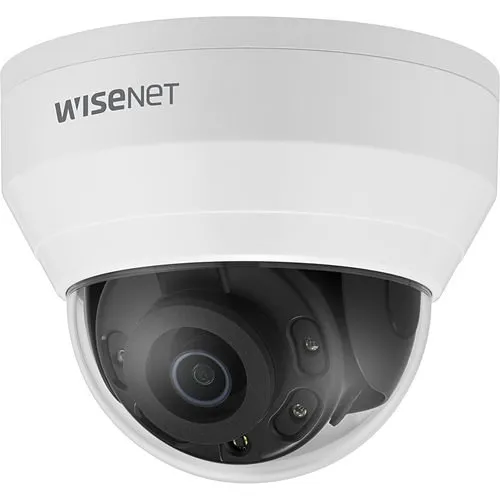
- Fixed-lens turret/dome options: The workhorses of modern security. Choose these for 80% of your standard indoor rooms, stairwells, and perimeter building wraps where target distances are predictable. Turrets avoid the IR reflection issues common in glass domes.
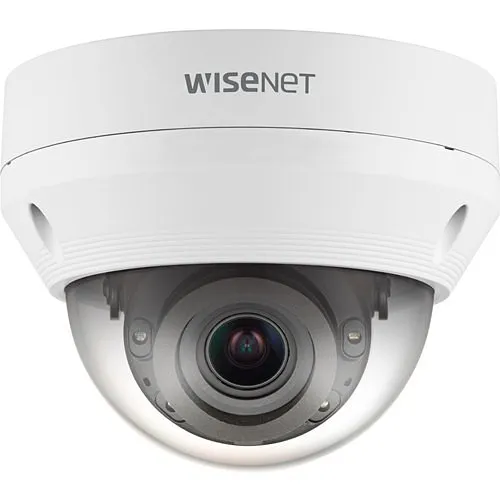
- Varifocal turret/dome options: The problem solvers. Use these for gates, dedicated license plate capture (LPR), long driveways, or cash registers where you need to dial in the optical zoom precisely from your laptop during setup.
- Junction boxes/mounts: Never underestimate aiming limitations. A junction box or pendant mount drops the camera away from ceiling obstructions or wall lips, allowing you to utilize the full horizontal field of view without IR glare bouncing off adjacent brickwork.
- Temporary test mount / aiming tools: For fixed lenses, mounting a test camera to a painter's pole and connecting a portable Wi-Fi test monitor ensures you aim the 4mm or 6mm lens properly to capture the necessary choke points before you drill into brick.
- Assumptions made: Approximate HFOV degrees provided in tables and text assume standard 16:9 aspect ratios for modern IP cameras without electronic image stabilization cropping. DORI standard PPF utilizes conventional North American security industry approximations (80 PPF Identify, 40 PPF Recognize). Example calculation assumes full use of horizontal sensor width.
- Sources to verify internally: Ensure internal product lines' HFOV specs match the approximations provided (check datasheets for your specific 1/2.8" and 1/1.8" models). If you host a proprietary lens/FOV calculator on the site, hyperlink to it in Step 5 of the methodology.
Frequently Asked Questions
Use the DORI standard (Detection, Observation, Recognition, Identification). For facial identification, you need a minimum of 250 pixels per meter (PPM) at the target distance. Calculate the required focal length using: Focal Length (mm) = (Sensor Width in mm x Distance in m x PPM) / (Horizontal Resolution x 1000). Most manufacturers also provide lens calculators—Axis Design Tool and Hanwha IP Installer are both free and account for sensor size automatically.
Choose varifocal when: (1) the exact mounting location is unknown at design time, (2) the scene may change after installation (e.g., furniture rearrangement in retail), (3) you need to fine-tune the field of view on-site, or (4) the camera covers a hallway or corridor where a precise, narrow view is needed. Choose fixed when: the scene is well-defined, budget is tight, or you want fewer moving parts to reduce long-term mechanical failure risk.
No. Higher resolution lets you digitally crop further into a scene while maintaining usable pixel density, but it cannot replace optical focal length selection. A 4K (8MP) camera with a wide-angle lens at 50 meters will still have lower PPM on a target than a 2MP camera with a properly matched telephoto lens. Resolution gives you flexibility in post-production, but optical design determines real-time image quality, depth of field, and low-light performance.
Manual varifocal requires a technician to physically adjust the zoom and focus rings on the lens, typically during installation. Motorized varifocal (sometimes called remote zoom/focus or P-iris) allows focal length and focus adjustments via the camera's web interface or VMS software, which is critical for cameras mounted at height or in difficult-to-access locations. Motorized varifocal adds $30-80 to the camera cost but saves significant labor on service calls for re-focusing.
The built-in IR LEDs on most cameras are calibrated for a specific field of view. When you narrow the field of view with a longer focal length, the IR illumination may not concentrate enough to match the camera's viewing distance—you will see a bright center with dark edges. Conversely, a very wide lens may spread IR too thin. Many modern varifocal cameras (Hanwha X-series, Axis P-series) use adaptive IR that automatically adjusts the LED beam angle to match the zoom level, solving this mismatch.
Related Products